First, click on the print icon at the top left corner:

Second, in the Destination section, you can choose a printer (if there is one connected to your device).

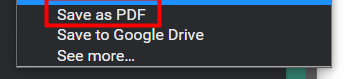
Or, you can choose to save the report as a PDF:
First, click on the print icon at the top left corner:
Second, in the Destination section, you can choose a printer (if there is one connected to your device).
Or, you can choose to save the report as a PDF: